
Awakening the Blind Monolith: Integrating AI Reasoning into Legacy ERPs Without Technical Debt
By SolutionJet Architecture Team
The architectural dilemma
Core transactional engines such as SAP S/4HANA, Oracle E-Business Suite or a bespoke on-premises ERP were built for strict, deterministic record-keeping. They are dependable at it, and functionally blind and deaf to unstructured business data: multi-page vendor invoices, scanned documents, emails and anything else that needs judgment.
The tempting shortcut is to call a large language model directly from ERP application logic, synchronously over HTTP or RFC. In production that creates three problems:
- Latency and lock-ups. Inference takes anywhere from hundreds of milliseconds to tens of seconds. Synchronous calls hold database work processes open, exhausting connection pools and timing out transactions.
- Cascading outages. A rate limit or an outage at the AI endpoint now stops financial posting.
- Technical debt in the core. Wiring fast-moving AI SDKs, prompts and vector-store clients into ABAP, Java or C# monoliths produces code nobody wants to own.
The safer pattern is to leave the ERP alone and add an AI sensory and reasoning layer beside it: event-driven, decoupled, and talking to the ERP only through interfaces it already has. On Azure that means Azure Service Bus for events, an AKS worker for the reasoning, Azure API Management for governance, and Azure Logic Apps with the SAP connector for the write-back. In architecture terms it's an anti-corruption layer with queue-based load leveling.
End-to-end data flow
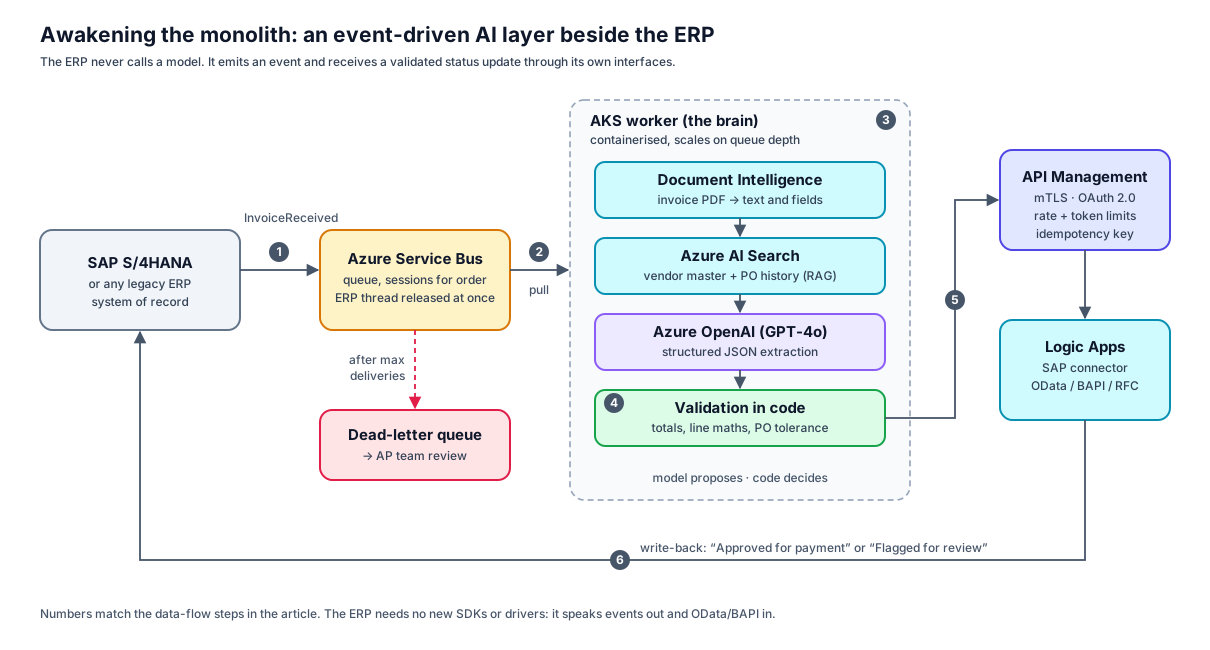
- Event emission (the ear). When a vendor invoice arrives, SAP creates a staging record and emits an
InvoiceReceivedevent to Azure Service Bus. The ERP thread is released immediately. - Asynchronous consumption. A containerised worker on AKS pulls the message. It scales on queue depth, so a month-end spike queues up instead of overloading anything.
- Extraction and grounding (the brain). The worker turns the PDF into text with Azure AI Document Intelligence, retrieves vendor master data and purchase-order history from Azure AI Search, and asks Azure OpenAI for structured JSON.
- Validation and guardrails. Code, not the model, decides: line totals must multiply out, the invoice total must match the lines, prices must sit within PO tolerance. Anything that fails is flagged for review.
- Governed hand-off. The validated payload goes to an internal API Management endpoint that enforces mutual TLS, OAuth 2.0, rate limits and token budgets.
- Write-back (the voice). APIM forwards to a Logic App with the SAP connector (OData, BAPI or RFC), which marks the invoice Approved for payment or Flagged for review inside SAP.
Step-by-step implementation
Step 1: The event queue
Create a Service Bus queue (vendor-invoice-events) with dead-lettering enabled. Turn on sessions keyed by vendor if invoices from the same vendor must be processed in order. When SAP creates the invoice record, SAP Event Mesh or an outbound webhook drops a small event on the queue. Only a reference travels, never the document:
{
  "eventId": "evt-7729104",
  "eventType": "InvoiceReceived",
  "invoiceId": "INV-9982",
  "vendorCode": "VEND-4041",
  "blobUrl": "https://stgenaiinvoices.blob.core.windows.net/invoices/2026/INV-9982.pdf",
  "timestamp": "2026-10-16T14:20:00Z"
}
Step 2: The AKS worker
The worker reads each message, extracts the text, grounds it, asks the model for JSON and validates the result. Two details matter more than the model choice. The model never sees a URL it can't open: the PDF becomes text first. And the decision to approve comes from deterministic checks, never from the model's own "confidence".
import { ServiceBusClient, type ServiceBusReceivedMessage } from "@azure/service-bus";
import { AzureOpenAI } from "openai";
import axios from "axios";

const sb = new ServiceBusClient(process.env.SERVICE_BUS_CONNECTION_STRING!);
const llm = new AzureOpenAI({
  endpoint: process.env.AZURE_OPENAI_ENDPOINT!,
  apiKey: process.env.AZURE_OPENAI_KEY!,          // or use Entra ID via azureADTokenProvider
  apiVersion: "2024-10-21",
  deployment: "gpt-4o",
});

interface InvoiceEvent { eventId: string; invoiceId: string; vendorCode: string; blobUrl: string; }
interface InvoiceExtraction {
  invoiceId: string; vendorCode: string; invoiceTotal: number; currency: string;
  lineItems: { lineNumber: number; description: string; quantity: number; unitPrice: number; lineTotal: number }[];
}

// The model can't open URLs: turn the PDF into text first
// (e.g. Azure AI Document Intelligence, prebuilt-invoice model).
declare function extractInvoiceText(blobUrl: string): Promise<string>;
// RAG grounding: vendor master data + recent PO norms from Azure AI Search.
declare function vendorContext(vendorCode: string): Promise<string>;

async function extract(evt: InvoiceEvent): Promise<InvoiceExtraction> {
  const [text, context] = await Promise.all([extractInvoiceText(evt.blobUrl), vendorContext(evt.vendorCode)]);
  const res = await llm.chat.completions.create({
    model: "gpt-4o",
    temperature: 0,
    response_format: { type: "json_object" },
    messages: [
      { role: "system", content: "You extract supplier invoices into JSON with keys invoiceId, vendorCode, invoiceTotal, currency, lineItems[]. Use only the invoice text. Never invent values." },
      { role: "user", content: `Vendor context:\n${context}\n\nInvoice ${evt.invoiceId} text:\n${text}` },
    ],
  });
  return JSON.parse(res.choices[0].message.content ?? "{}") as InvoiceExtraction;
}

// Deterministic checks decide; the model's own "confidence" never does.
function validate(x: InvoiceExtraction): string[] {
  const problems: string[] = [];
  const sum = x.lineItems.reduce((s, l) => s + l.lineTotal, 0);
  if (Math.abs(sum - x.invoiceTotal) > 0.01) problems.push(`lines sum to ${sum.toFixed(2)}, total is ${x.invoiceTotal}`);
  for (const l of x.lineItems)
    if (Math.abs(l.quantity * l.unitPrice - l.lineTotal) > 0.01) problems.push(`line ${l.lineNumber} doesn't multiply out`);
  return problems;
}

async function handle(message: ServiceBusReceivedMessage, receiver: ReturnType<typeof sb.createReceiver>) {
  const evt = message.body as InvoiceEvent;
  const extraction = await extract(evt);
  const problems = validate(extraction);
  await axios.post(process.env.APIM_INVOICE_ENDPOINT!, {
    ...extraction,
    validationStatus: problems.length ? "FLAGGED_FOR_REVIEW" : "VERIFIED",
    problems,
  }, {
    headers: { "Ocp-Apim-Subscription-Key": process.env.APIM_SUBSCRIPTION_KEY!, "Idempotency-Key": evt.eventId },
  });
  await receiver.completeMessage(message);
}

const receiver = sb.createReceiver("vendor-invoice-events");
receiver.subscribe({
  processMessage: async (message) => {
    try {
      await handle(message, receiver);
    } catch (err) {
      // transient failure: release the lock; Service Bus redelivers and
      // dead-letters after maxDeliveryCount attempts
      await receiver.abandonMessage(message);
    }
  },
  processError: async (args) => console.error("Service Bus error:", args.error),
});
Failures are handled by the queue, not by the code. abandonMessage releases the lock so Service Bus redelivers. After the queue's maximum delivery count, the message moves to the dead-letter queue, where the accounts-payable team picks it up.
Step 3: The payload contract
What the worker sends to API Management. The line maths checks out, so it's marked VERIFIED; a mismatch would arrive as FLAGGED_FOR_REVIEW with the reasons in problems:
{
  "invoiceId": "INV-9982",
  "vendorCode": "VEND-4041",
  "invoiceTotal": 14520.40,
  "currency": "USD",
  "validationStatus": "VERIFIED",
  "problems": [],
  "lineItems": [
    {
      "lineNumber": 1,
      "description": "Cloud Infrastructure Managed Services",
      "quantity": 40,
      "unitPrice": 363.01,
      "lineTotal": 14520.40
    }
  ],
  "aiAuditTrail": { "model": "gpt-4o", "promptTokens": 1240, "completionTokens": 310, "latencyMs": 840 }
}
Step 4: The handshake through API Management and Logic Apps
- APIM ingress: validates the client certificate and OAuth token, applies rate and token limits, and logs every call.
- Logic App trigger: receives the validated payload from APIM.
- Mapping: maps JSON fields to the SAP supplier-invoice entity (for example
A_SupplierInvoiceover OData). - Commit: the SAP connector calls the OData service or a BAPI such as
BAPI_INCOMINGINVOICE_CREATE. TheIdempotency-Key(the event ID) makes a redelivered message safe to post twice.
Governance, cost and safety guardrails
- Token budgets per department. Enforce limits in API Management with the llm-token-limit policy, so a runaway loop can't burn the budget. See APIM's AI gateway capabilities.
- Constrained output. Use JSON mode or structured outputs, then re-validate in code before anything is written back.
- Content safety at the edge. Screen inbound documents for prompt-injection attempts with Azure AI Content Safety before they reach the model.
- No changes to the core. The ERP gets no new drivers or SDKs. It speaks standard events out and OData/BAPI in, so the AI layer can change weekly while the system of record doesn't.
Takeaways
- Never call a model synchronously from a system of record. Emit an event and let the queue absorb the latency.
- Turn documents into text before prompting, and ground the prompt in your own master data.
- Let the model propose and let code decide. Validation rules, not model confidence, gate the write-back.
- Write back only through the ERP's existing interfaces, with idempotency, so retries are safe.
References & further reading
- Microsoft Learn: Connect to SAP from Azure Logic Apps
- Microsoft Learn: Document Intelligence prebuilt invoice model
- Microsoft Learn: Service Bus dead-letter queues
- Azure Architecture Center: Anti-corruption layer pattern
- Microsoft Learn: AI gateway capabilities in Azure API Management
- SolutionJet: Order-processing AI agent with Azure Prompt Flow
- SolutionJet: RAG architecture for secure business apps on Azure
- SolutionJet: Operating AKS with Azure Monitor
More in this series
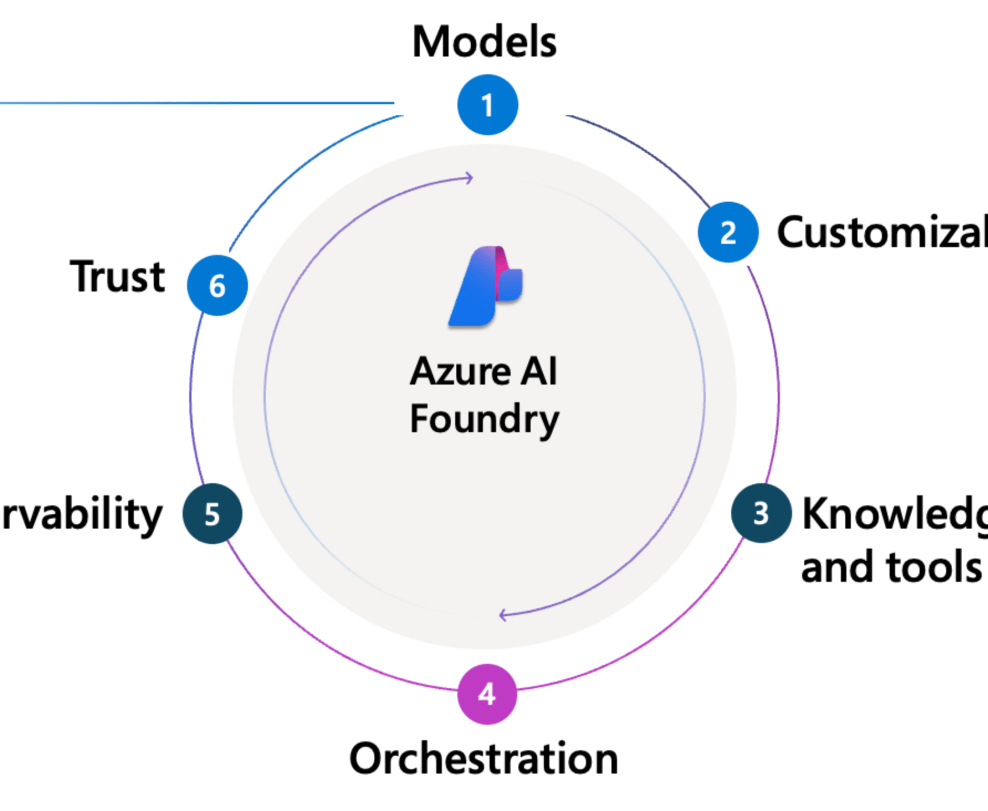
Who Azure AI Foundry (Microsoft Foundry) Is For and Why
Why Microsoft Foundry is the AI agent factory for the enterprise: zero-trust, multi-agent orchestration across SharePoint, SAP and compliance systems.
Read Full Article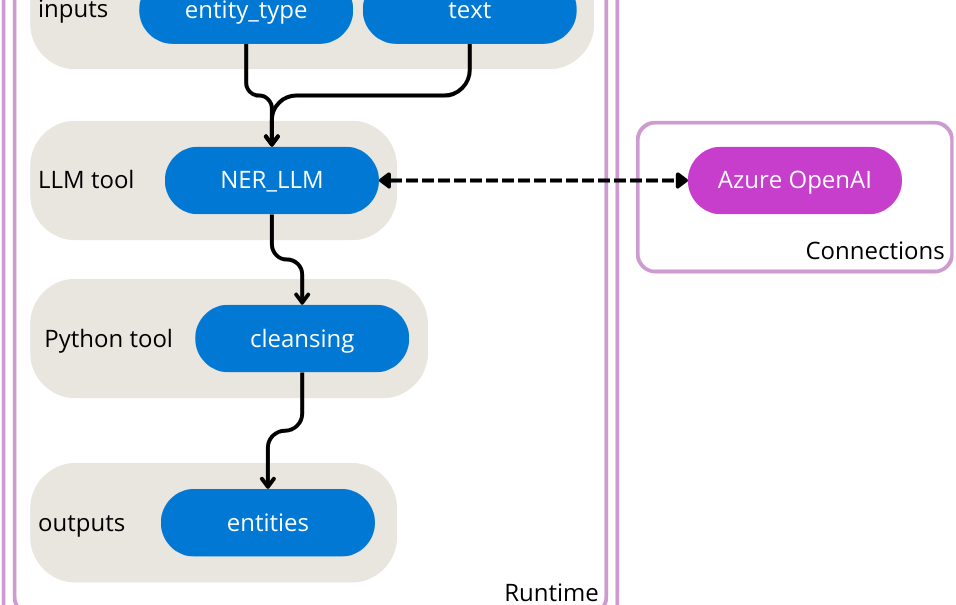
Stop Herding Cats: How Azure Prompt Flow Makes Your AI Agents Play Nice
An order-processing AI agent built with Azure Prompt Flow: the LLM decides which tool to call, Prompt Flow executes it securely against the inventory system.
Read Full Article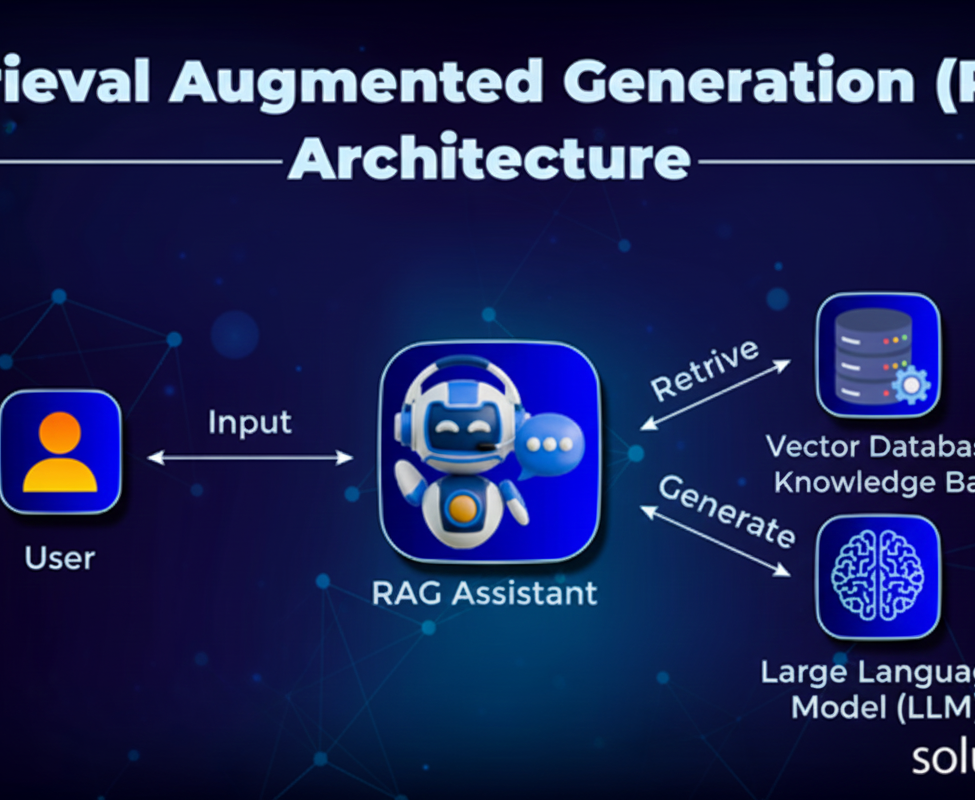
How to Implement RAG Architecture for Secure Business Apps on Azure AI
Build an "AI Knowledge Navigator" with Retrieval-Augmented Generation on Azure AI Search and Azure OpenAI, grounded in your private documents.
Read Full Article
Unleashing the Potential of AzureAI Services for Our Clients
How Azure AI services (machine learning, language, vision, speech and personalization) make client systems smarter, with case studies from finance and e-commerce.
Read Full Article